If you’ve ever worked with industrial environments—think manufacturing floors, warehouse logistics hubs, or process control lines—you know that an Industrial Panel PC (IPC) is more than just a computer. It’s the central nervous system for your operations: it runs PLC interfaces, tracks production metrics, monitors temperature and pressure sensors, and logs maintenance schedules. Lose that data, and you’re looking at hours (sometimes days) of downtime, frustrated teams, and lost revenue that no amount of “tech support fast fixes” can make up for. As a supplier of these rugged, purpose-built machines, I’ve seen plenty of operators brush off backup strategies until a hard drive failure, a power surge, or a catastrophic site event takes their entire system offline. Today, I’m breaking down a practical, industrial-grade approach to backing up data on your IPC—no fluff, just the steps we recommend to our customers. Industrial Panel PC
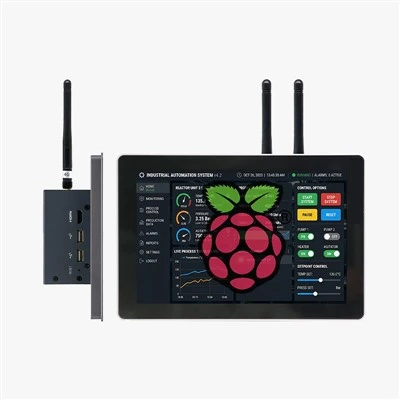
First, let’s start with why industrial backup is different from backing up a home laptop or a office desktop. Consumer devices can tolerate a lost photo or two; an IPC running a bottling line can’t afford to lose a recipe, a batch log, or a configuration that’s been fine-tuned over 10 years. Industrial environments also come with unique risks: dust and moisture that can damage internal storage, unstable power grids that can corrupt files mid-write, and harsh temperatures (think 0°C to 50°C, or even lower for outdoor applications) that short out electronics. A backup strategy for an IPC isn’t just about copying files—it’s about surviving the specific stressors your machine faces on the job.
The first rule of backup: know what to back up. You can’t protect everything, so prioritize the data that keeps your operation running. For most IPC deployments, this falls into three categories: 1. Real-time operational data: sensor logs, machine performance metrics, batch records, and user access logs—this is the data you’d use for audits, quality control, and troubleshooting. 2. System configuration files: PLC ladder logic, HMI screen layouts, communication settings, and driver licenses. Reinstalling an OS is straightforward, but reconfiguring a line’s entire workflow can take weeks of engineering time. 3. User-created and third-party software: custom apps built for your process, SCADA platforms, and any specialized tools you run on the IPC. Skipping these means you’re rebuilding software from scratch, not just restoring settings.
Now, let’s talk about the storage options that work for industrial IPCs. Consumer-grade USB drives or cloud services might sound easy, but they rarely hold up to factory conditions. Here’s what we recommend, based on 15 years of equipping machines for heavy industry:
Local, rugged storage is your first line of defense. Most industrial panel PCs use solid-state drives (SSDs) instead of spinning hard disk drives (HDDs), because SSDs have no moving parts that can break from vibration or shock. But even SSDs need redundancy. The simplest local backup is an external ruggedized SSD or a network-attached storage (NAS) device rated for industrial use. We don’t recommend standard NAS units—they’re built for office WiFi, not a site with constant power flickers or wireless interference. Industrial NAS devices have fanless designs (to keep dust out), wide temperature ranges, and support for industrial Ethernet protocols like PROFINET or Modbus TCP, which let you back up data across your entire fleet of IPCs without extra setup. A quick tip: keep the local backup device in a separate enclosure from the IPC, in a clean, dry area away from heavy machinery. If a conveyor belt sends a metal fragment flying, it won’t take both your main IPC and its backup out at the same time.
Cloud backup is your offsite safety net. For remote sites or multi-location operations, storing backups only on-site leaves you vulnerable to fire, flood, or theft. Industrial-grade cloud backup isn’t the same as uploading a vacation photo to Google Drive. You need a solution that prioritizes low bandwidth (since factory WiFi is often slow) and encrypted data transfer, so sensitive process data doesn’t get intercepted. We work with customers to set up incremental backups—only copying new or changed data instead of the entire system every time—because full backups can tie up your network for hours during a shift. For IPCs that work in areas with limited internet access, many cloud services let you store backups locally and sync them automatically when a connection is available; we’ve seen this work perfectly for mines, oil rigs, and rural processing plants where internet is spotty.
Next, schedule your backups to fit your operation. A backup that runs during a critical production run is a wasted backup—you don’t want it taking up CPU or bandwidth when a machine is running 24/7. For batch production facilities, schedule backups after a shift ends, when the line is idle. For continuous process plants (like water treatment facilities), run weekly full backups, with daily incremental backups of only new sensor logs. Avoid “set it and forget it” backup tools—test your schedule quarterly to make sure it doesn’t conflict with maintenance windows, new software updates, or unexpected downtime. Also, make sure your IPC’s power management settings don’t shut down during a backup; industrial machines often have programmable power schedules, so adjust that to keep the unit on during backup times.
Another key step: test your backups regularly. The biggest mistake we see is operators setting up a backup plan and never verifying that it works. We can’t count how many times a customer has come to us after a drive failure, only to find their backup files are corrupt, unreadable, or missing the configuration files they need. Schedule a quarterly restore test: pick a non-critical machine in your facility, simulate a hard drive failure, and restore from your backup. This takes an hour or two, but it saves you days of lost production when a real failure happens. Also, when you restore, don’t just copy files over—check that your HMI screens display correctly, that PLC logic connects properly, and that sensor data is being logged as expected. A backup that looks good in a file explorer might be useless for your IPC’s specific setup.
What about edge cases? We’ve seen every scenario, from a machine knocked over by a forklift to a power surge that fried the IPC’s internal storage. For mobile IPCs—like those on automated guided vehicles (AGVs) or mobile robots—you can’t use a fixed NAS. Instead, use a rugged flash drive that the AGV docks with every time it returns to its station, to back up data automatically. For IPCs in explosive environments (like chemical plants), avoid wireless backups that could spark; use wired industrial Ethernet or physically swap backup drives in a safe, approved area. We also recommend creating a bootable recovery drive for your IPC. This is a small USB drive preloaded with your OS, drivers, and core configurations, so you can get the machine back up and running in minutes, instead of hours spent reinstalling and reconfiguring.
Finally, let’s address common misconceptions. Some operators think, “Our IPC is on a UPS (uninterruptible power supply), so we don’t need backups.” A UPS keeps your machine from shutting down during a power blip, but it won’t recover data if your SSD fails or a virus (yes, industrial machines can get malware) corrupts files. Others use consumer cloud services because they’re cheap, but many consumer plans don’t meet industrial data security standards—if your process data is confidential (like a food recipe or a patented manufacturing step), you need a cloud provider that complies with industry regulations like ISO 27001.

At the end of the day, a good backup strategy isn’t about preventing failures—it’s about minimizing downtime when failures do happen. If you’re not sure if your current backup setup is enough, or you’re looking to upgrade your IPC with rugged storage options designed for industrial use, we’re here to help. Whether you’re a small manufacturing shop with one machine or a large enterprise with a fleet of IPCs, we can assess your specific site risks and create a backup plan that fits your operations. To learn more about how to protect your industrial data and get a customized solution, reach out to our team for a consultation.
LED Display References
- Industrial Technology Association. (2022). Rugged Computing Storage Requirements for Factory Environments.
- International Society of Automation. (2021). Backup and Recovery Best Practices for Process Control Systems.
- Solid State Technology Association. (2023). SSD Reliability in Vibration and Temperature Extremes: Industrial Case Studies.
Guangzhou Jorarri Electronics Co., Ltd.
As one of the most professional industrial panel pc manufacturers and suppliers in China, we’re featured by quality products and good service. Please rest assured to wholesale customized industrial panel pc at competitive price from our factory. Contact us for more details.
Address: Room 502, Building 4-2, No.539, Shibei Industrial Road, Dashi Street, Panyu District, Guangzhou City, China
E-mail: eddiezheng@jzlsglobal.com
WebSite: https://www.gzjorarri.com/
